
Get a FREE Digital Notebook for Goodnotes – Interactive Notepad!
⋆˙⟡♡︎ This post may contain affiliate links. Please see my disclosure policy for details. Thanks for your support ⋆˙⟡♡︎
If you’re completely new to digital planning and you’re not quite sure whether you want to take the plunge into the world of paperless planners yet – a digital notebook is the perfect starting place.
It’s a cheap and easy way to dip your toes into the digital planning game and see if it’s the right fit for you.
That’s why I’m so excited to announce that Third Eye Traveller has released a completely FREE digital travel notebook for my subscribers!
You read that right. It’s a completely FREE digital notebook that you can download for your iPad or Android tablet.
This way, you can easily test out digital travel planners to see if you like digital planning and test whether they work on your device without any monetary commitment.
So, if you love free stuff, keep reading to see how you can sign up for your free digital notebook today!

Related Post: A Beginner’s Guide to Digital Planning

Get a FREE Digital Notebook!
To claim your completely FREE digital notebook, simply sign up via the form below.
Then, wait a few minutes and you will receive a welcome email from Third Eye Traveller with your notebook attached.
Then, all you need to do is import your notebook to a note taking app such as Goodnotes.
You will also receive a password to our exclusive resource library!
Inside, you can download even more Digital Planning freebies to use with your new notebook. You’ll find fun digital stickers, front covers and more.
Get a free digital notebook & 10% off our shop
When you join our newsletter
What’s included in this free download notebook?
Are you wondering whether digital notebooks are worth it? Well, there is no risk in trying it out for free!
Here’s everything that is included in this digital planning freebie:
You get a hyperlinked, interactive PDF for Goodnotes or Noteshelf.
It has 10 hyperlinked pages that can be accessed via an index page plus the tabs are entirely clickable – so you can find what you’re looking for in seconds!
The pages have all sorts of different note page types like lined, squares, dots etc.
Want to customise it even further? We have a free digital notebook cover and free digital stickers inside our freebie library too!
Not sure what Digital Notebooks are? No problem!
If you’ve never used a digital notebook before and you’re not sure how it will work, don’t worry!
In the next part of this post, I’m going to explain everything about digital notebooks.
This includes what they are, how they work and how to use one in a note-taking app like Goodnotes!
By the end of this post, you’ll be an expert on digital notebooks. But, if you’re still unsure – make sure to check out my free digital planning course here.

What is a Digital Notebook?
A digital notebook is just like a paper notebook but instead of flipping through your notebook tabs with your fingers, you’re clicking on hyperlinks.
A digital notebook is essentially a hyperlinked PDF that you can use within a note-taking app or PDF editor app like Goodnotes, Noteshelf, Notability etc.
The note-taking app will allow you to write on that PDF with your stylus pen.
Unlike paper notebooks, digital notebooks are intuitively hyperlinked throughout, so you can easily find the notes or scribbles you’re looking for in seconds!
The digital paper templates you’ll receive in your interactive notebook look exactly like a real paper that you would see in a notepad. But, they are just digital paper.
So, you’ll never run out of paper in these notebooks. You can duplicate your paper templates as many times as you like!
Digital Planning Essentials
Why bother using a Digital Notebook?
I’ve always been a paper planner girl. In fact, at first, I was solidly against Digital Notebooks haha!
I didn’t really see the point in them and I didn’t understand the hype.
But, then I actually tried one and I was completely blown away.
I was amazed at how they can be completely customisable to how YOU would like to use your notepad.
I don’t know about you, but I always find it a little difficult to find the right paper I like when I buy a notebook in a shop.
There’s always something I don’t use and then I feel guilty about wasting the paper.
That doesn’t happen when you use a digital notebook…
No, with digital notebooks you get a series of paper templates that you can use throughout your notebook – so you can customise it completely around you and how you like to jot down your thoughts!

These are just some of the benefits of using a Digital Notebook
- They’re light – no need to clutter your home with notebooks!
- They save time – you can find your notes in seconds through the hyperlinked dividers
- They are customisable – you can customise your notebook around your needs
- No need for tipp-ex – note-taking apps allow you to erase notes!
- They are eco-friendly – you can duplicate pages as much as you like a keep reusing your notebook

How does a Digital Notebook work?
Unlike a paper notebook where all of your pages are provided for you and there pages inside already, an interactive notebook comes with a series of paper templates and some blank page divider tabs.
These tabs are hyperlinked so you can find your sections easily.
For example, the freebie sample comes with 10 pages in hyperlinked dividers.
You can typically find all of your paper templates from the index menu found at the front of the notebook.
In the Third Eye Traveller digital notebook, you can access all of your paper templates by clicking on the sparkle tab found at the top right-hand corner of the PDF pages.
You can copy any of your pages as many times as you like. There are also plain pages that you can paste into!
How to use a Digital Notebook in Goodnotes?
So, firstly, you’ll need to make sure that you transfer your PDF notebook to your Goodnotes App.
Once, you’ve downloaded your freebie, hit the ‘share’ icon at the top right of your screen and then select Goodnotes in your app choice.
Then, once you’ve clicked on ‘Goodnotes’ as your note-taking app of choice, click ‘Import as New Document’.
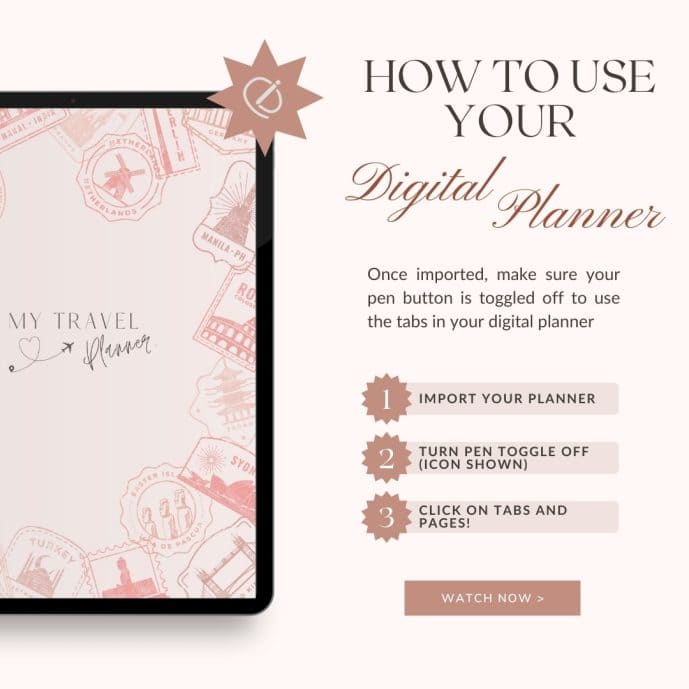
Once you’ve done that your notebook should be transferred! Make sure your pen icon is toggled off so that you can click on the hyperlinks.
If you click on your ‘index’ page, this is where you can click on the boxes to find your pages.
Also, you can easily find your sections from the hyperlinked tabs to the right of your pages – wherever you are in your notebook!
How to add or copy pages in a Digital Notebook
So, there are a couple of ways that you can start using the pages provided in your notebook in order to start taking notes!
- Firstly, head to one of your pages templates.
- Head to the three dots in the upper right-hand corner of your Goodnotes app.
- From the menu, select ‘Duplicate Page’.
- Success – you have now copied a page into your notebook!
- You can also copy the page and paste to a blank page at the back.
Note: Notebook page templates taken from outside of this notebook will not have the hyperlinked tabs attached so you may break your links…
You can also break links by removing pages! So, make sure to save a copy somewhere in case this happens.

Shop My Digital Planners
Did you know that I have a range of chic digital travel planners in my online shop? Check them out below:

The Ultimate Digital Travel Planner
Eliminate the stress of planning your next adventure
$4.99

The Magical Memories Keeper
A chic travel journal to capture your precious travel memories
$3 Introductory offer!

Remember: if you sign up for my digital notebook, you get 10% off my digital travel planners
Join my free workshop: Digital Planning Magic!
Are digital planners right for you?
Take your knowledge of Digital Planning from NO to PRO with my quick and free online course.
This course also includes video tutorials on how to use digital stickers and a free digital sticker pack.
Just click the button below and sign up to enrol for FREE!
Save this FREE Digital Notebook for later


